> ## Documentation Index
> Fetch the complete documentation index at: https://docs.codeant.ai/llms.txt
> Use this file to discover all available pages before exploring further.
# Cloud Security
> How CodeAnt uses CodeAnt AI CSPM to monitor its own AWS, GCP, and Azure infrastructure
### Overview
At CodeAnt, we use CodeAnt AI's Cloud Security Posture Management (CSPM) feature to continuously audit our own AWS, GCP, and Azure footprint. A single **read-only** connection per cloud account is enough to surface misconfigurations, failing compliance controls, and the services driving the most risk - all in one place.
### Why This Matters
We ship fast, and a fast-moving infrastructure drifts. Security groups open up for a quick debug, a bucket goes public for a migration, an IAM policy gets broader than it needs to be. Without a continuous check, those mistakes stick. Running CodeAnt AI against our own cloud accounts keeps the blast radius of drift small: we see new findings within minutes of a scan, triaged by severity and mapped to the compliance frameworks our customers care about (SOC 2, ISO 27001, HIPAA, PCI, CIS, NIST, and more).
### How We Use It
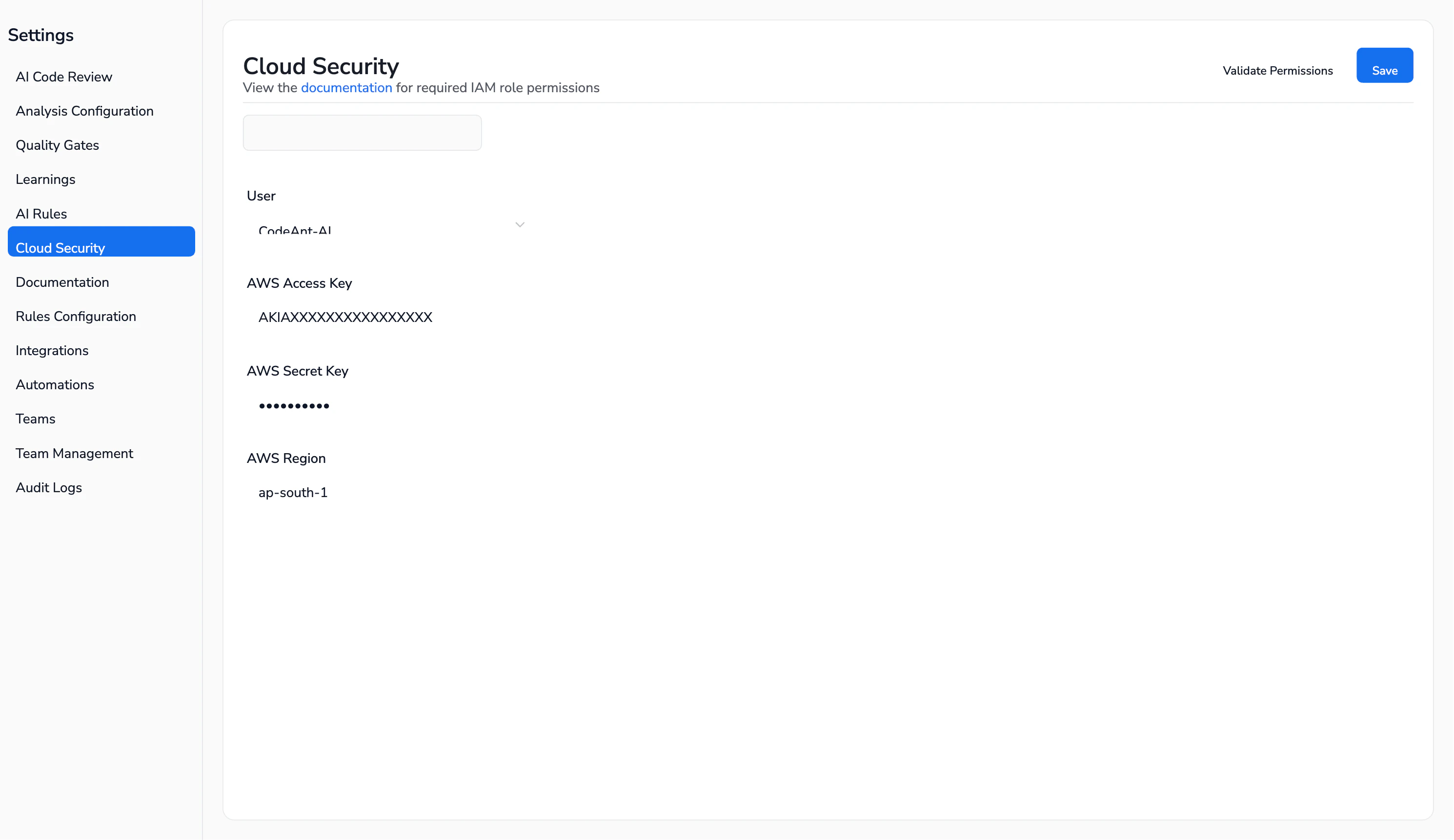
1. **Connect each cloud with a read-only role.** From `Settings -> Cloud Security`, we pick the provider tab (AWS / GCP / Azure) and paste in credentials that carry only `ReadOnlyAccess` (AWS), `roles/viewer` + `roles/cloudasset.viewer` (GCP), or the `Reader` role (Azure). CodeAnt AI never needs write permissions - the scanner only reads configuration. The **Validate Permissions** button checks the role before you save.
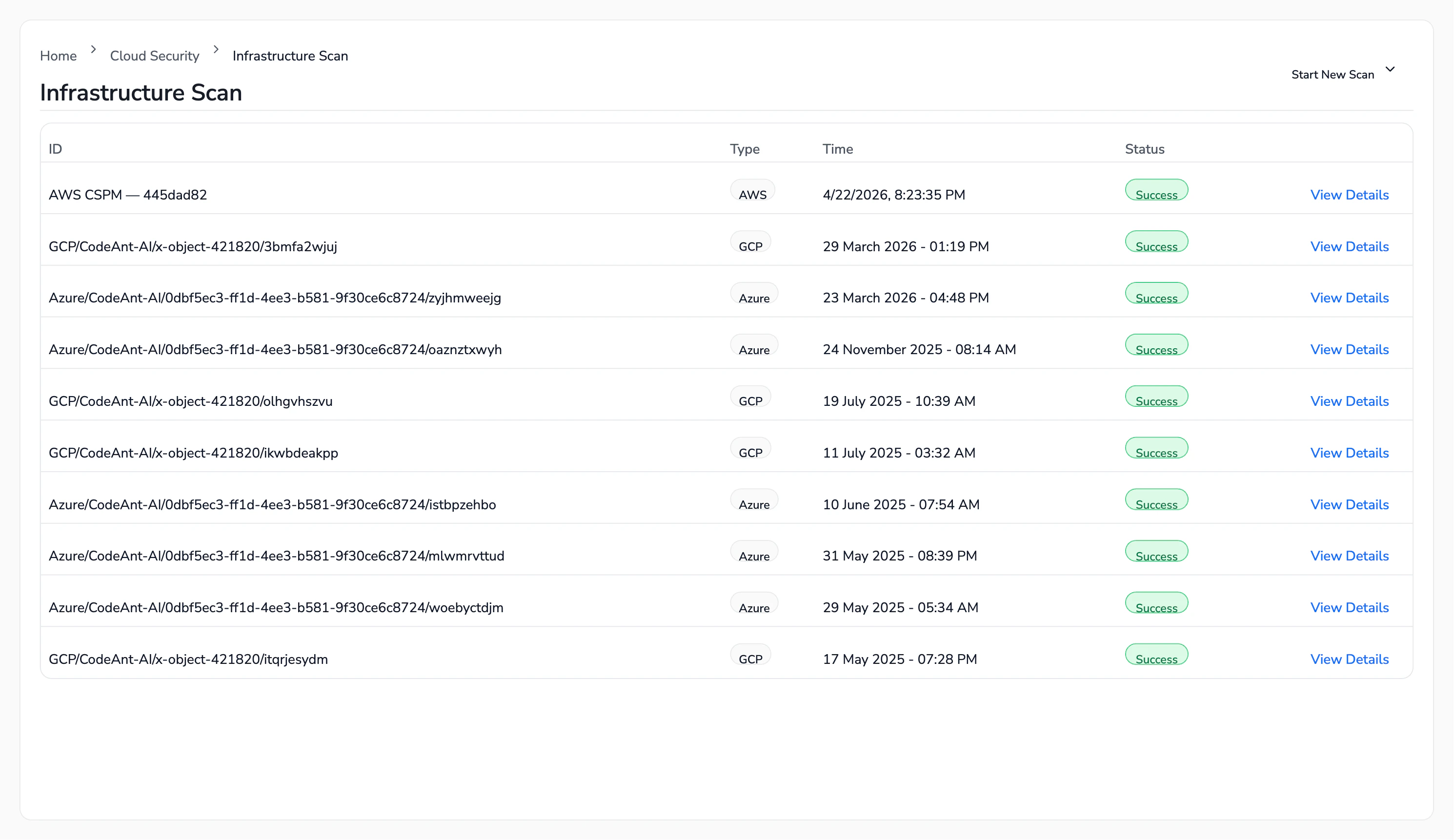
 2. **Trigger a scan.** From `Cloud Security -> Infrastructure Scan`, we click **Start New Scan** and pick the connection we want to audit. A full AWS scan on our account finishes in about 6 minutes and evaluates thousands of controls against our live resources.
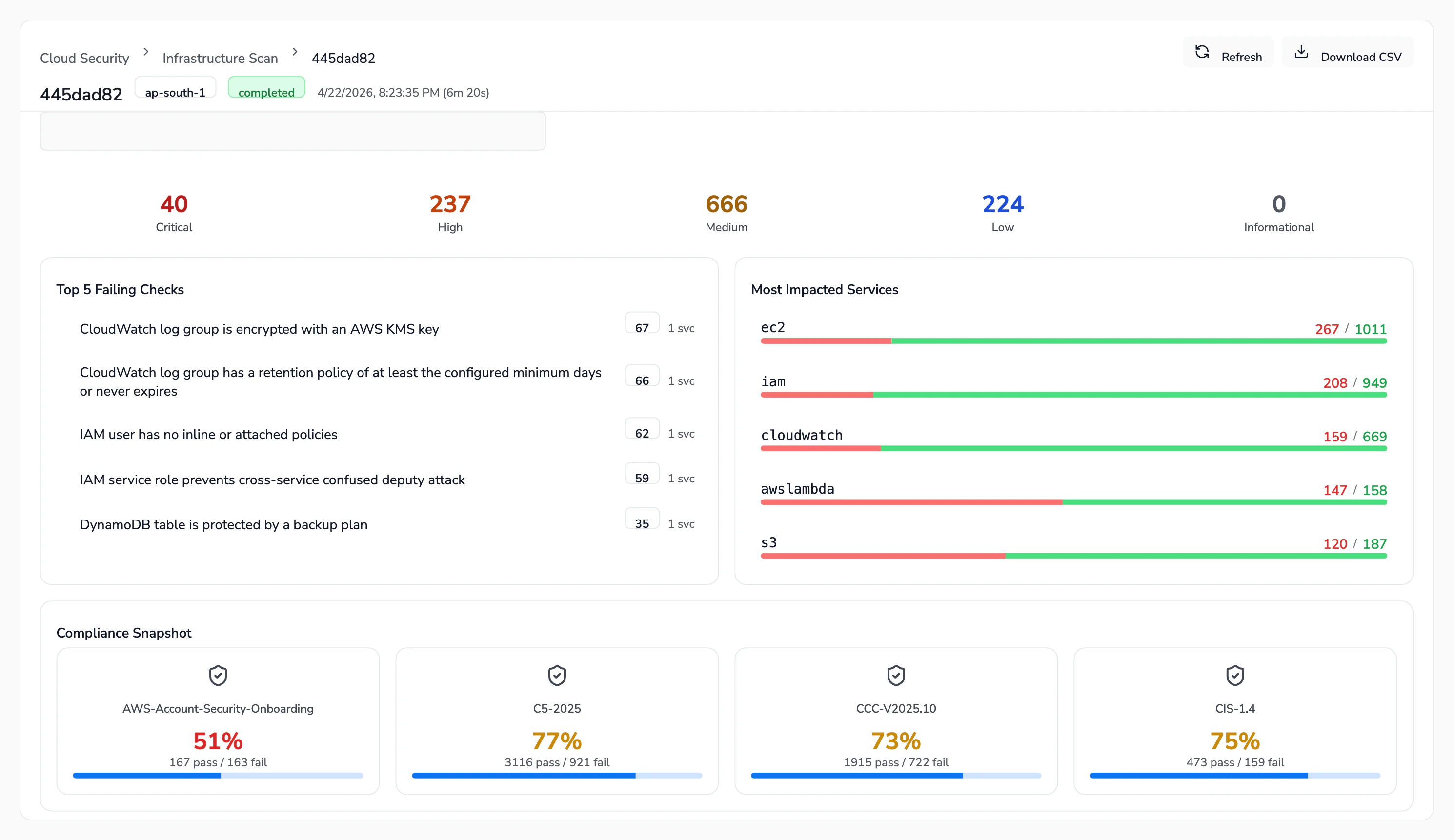
 3. **Triage from the Overview.** Every completed scan lands on an Overview tab with severity counters (Critical / High / Medium / Low / Informational), the Top 5 Failing Checks, the Most Impacted Services, and a Compliance Snapshot. This is our starting point every week - we look at what crossed the Critical/High line since the last run.
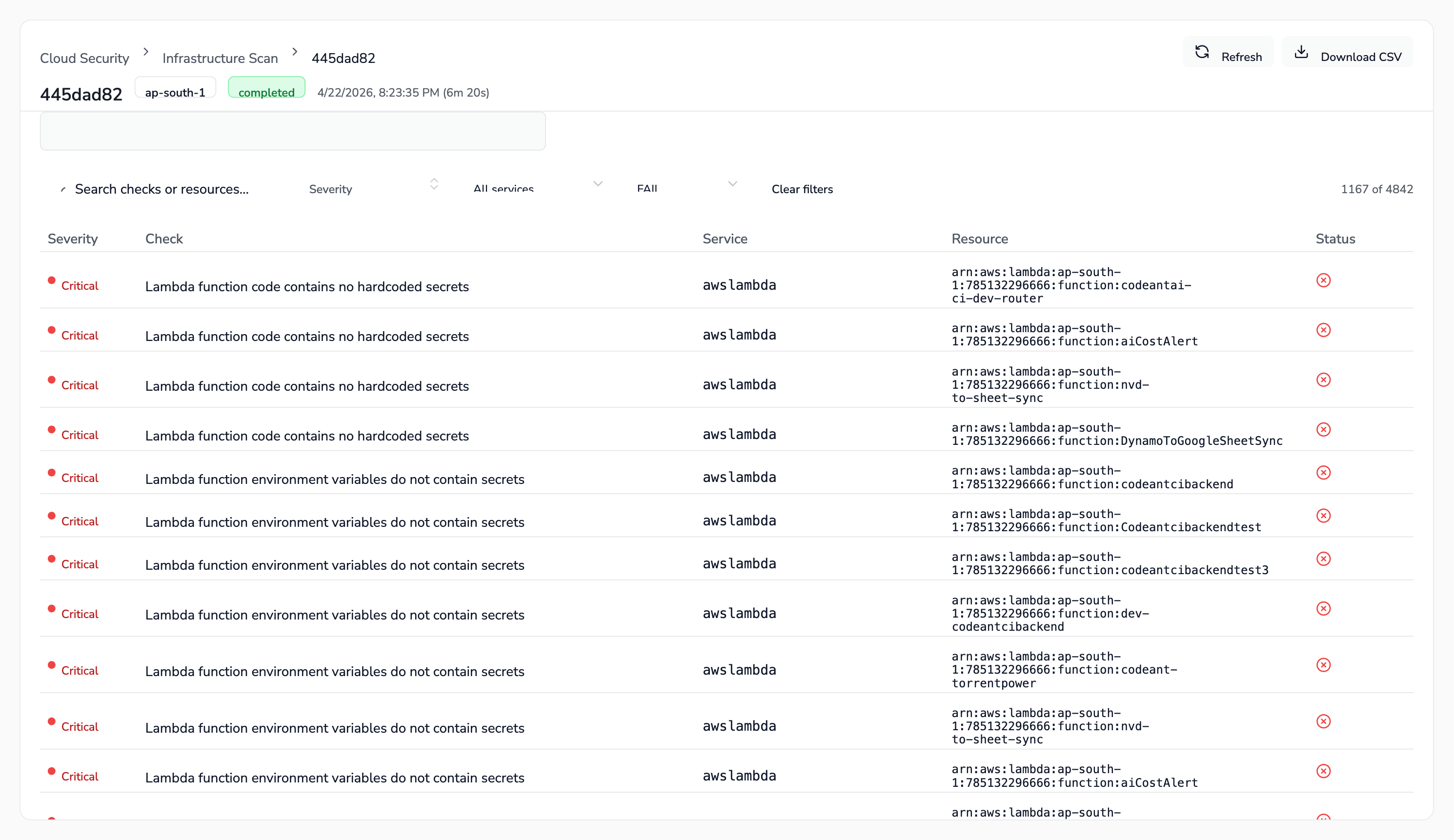
 4. **Drill into Findings.** The Findings tab lists every failing check with its severity, service, and the exact resource ARN. We filter by severity or service, export a CSV, and assign ownership to whichever team owns that service (platform, data, or product).
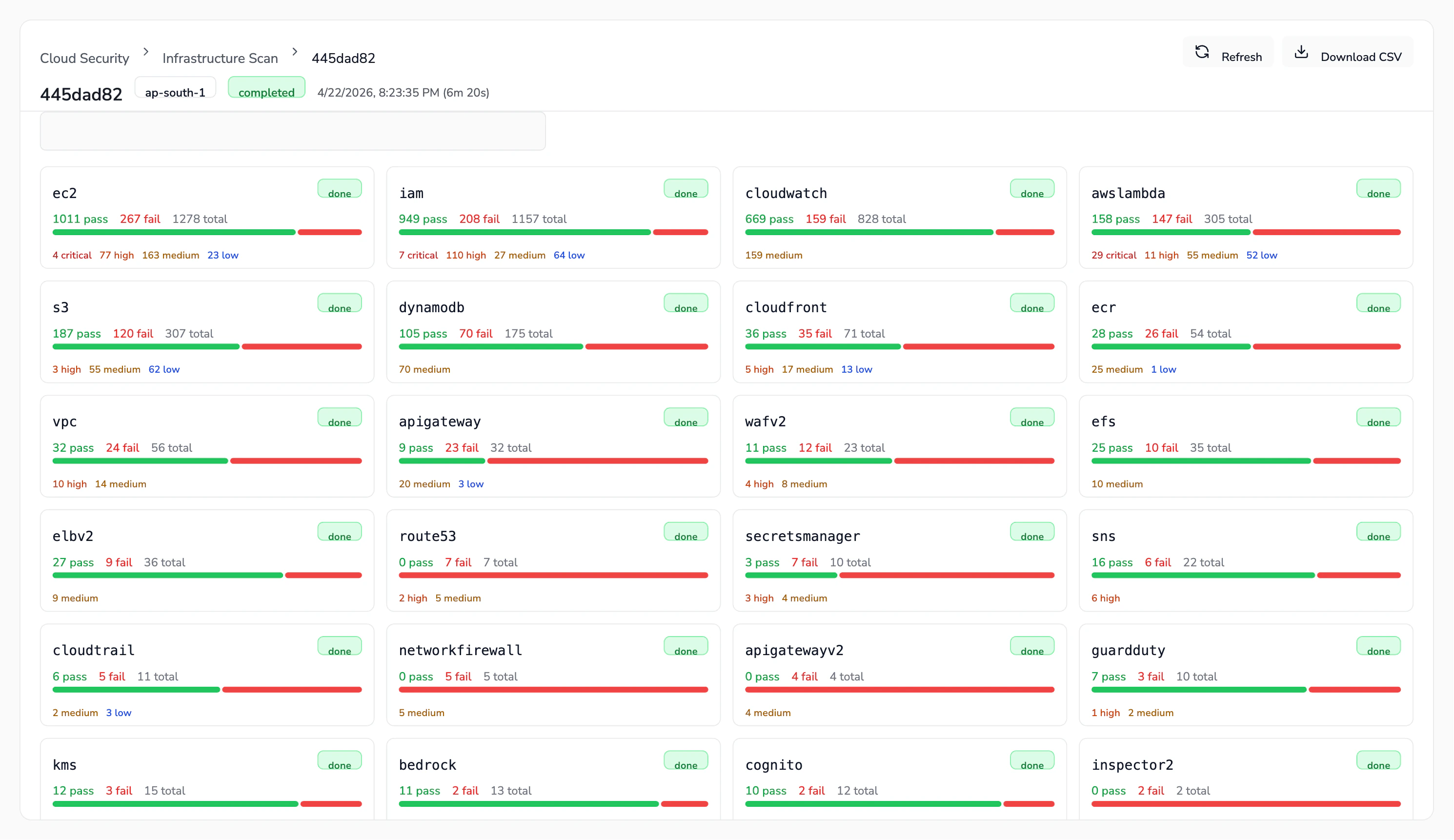
 5. **Review by service.** The Services tab breaks findings down by AWS/GCP/Azure service (EC2, IAM, CloudWatch, Lambda, S3, DynamoDB, CloudTrail, KMS, and so on) so we can quickly see where the posture is worst and prioritise hardening.
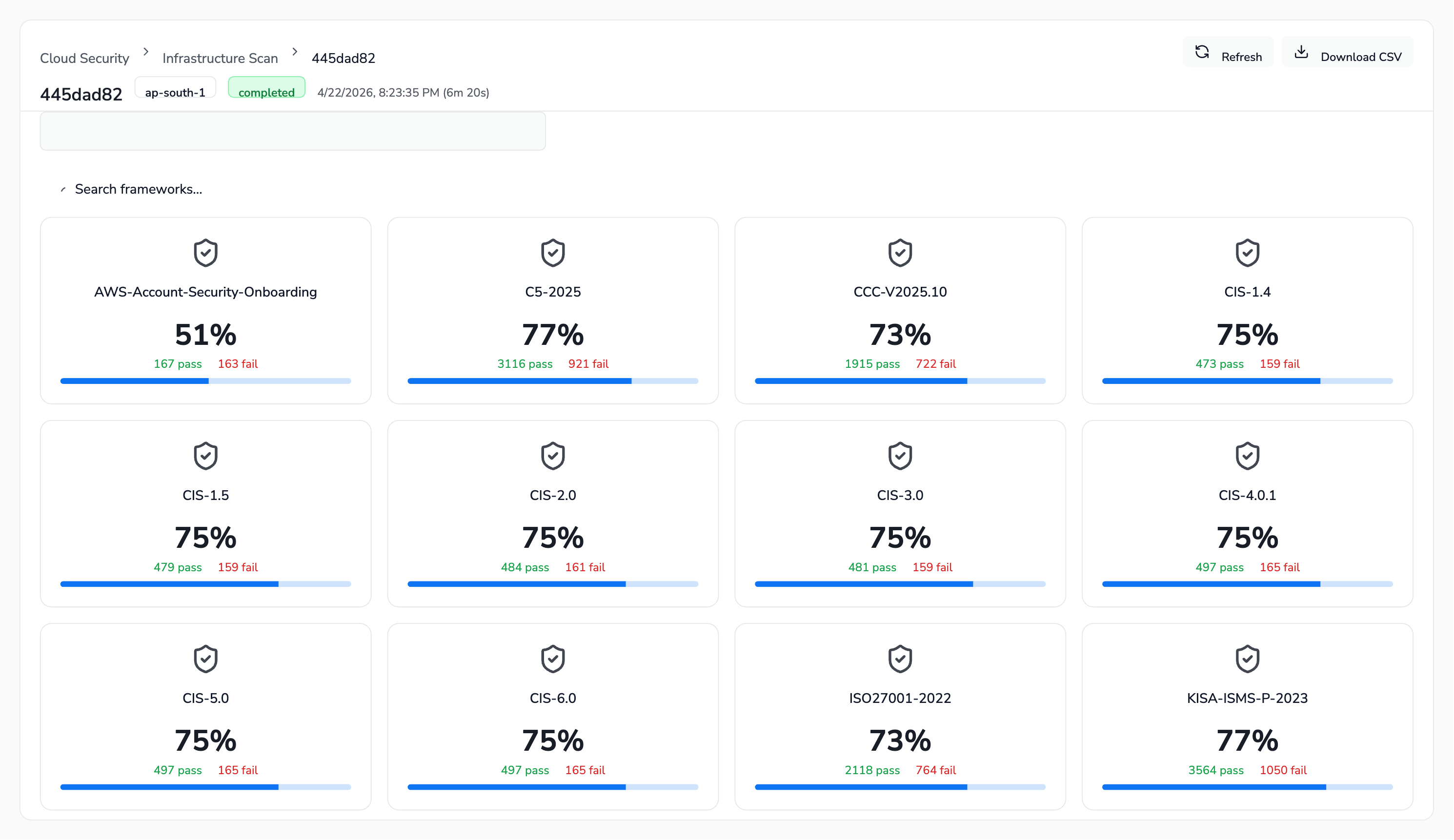
 6. **Track compliance posture.** The Compliance tab shows our pass rate against every framework CodeAnt AI supports - CIS (1.4 through 6.0), SOC 2, ISO 27001, HIPAA, PCI DSS 3.2.1 & 4.0, NIST 800-53, NIST CSF, GDPR, FedRAMP, MITRE ATT\&CK, AWS Well-Architected, and others. Before a customer audit or a security review, we open this tab to know exactly where we stand.
 ### What We Pay Attention To
* **Critical and High findings** - these block a release conversation. We fix them before the next scan.
* **Compliance deltas** - if a framework's pass rate drops between scans, someone changed something that broke a control. We investigate before the drop compounds.
* **Service hotspots** - IAM, EC2, and CloudWatch consistently surface the most findings across clouds. Any new service we adopt gets a baseline scan before it hits production traffic.
### Get Started
See the cloud provider setup pages to connect your own accounts:
* [AWS](/cloud_security/aws)
* [GCP](/cloud_security/gcp)
* [Azure](/cloud_security/azure)
### What We Pay Attention To
* **Critical and High findings** - these block a release conversation. We fix them before the next scan.
* **Compliance deltas** - if a framework's pass rate drops between scans, someone changed something that broke a control. We investigate before the drop compounds.
* **Service hotspots** - IAM, EC2, and CloudWatch consistently surface the most findings across clouds. Any new service we adopt gets a baseline scan before it hits production traffic.
### Get Started
See the cloud provider setup pages to connect your own accounts:
* [AWS](/cloud_security/aws)
* [GCP](/cloud_security/gcp)
* [Azure](/cloud_security/azure)