> ## Documentation Index
> Fetch the complete documentation index at: https://docs.codeant.ai/llms.txt
> Use this file to discover all available pages before exploring further.
# Pull Request Review
> Configure CodeAnt AI pull request review for Azure Devops
Follow the below steps for pull request review configuration:
1. **Install CodeAnt AI App:**
For Azure devops users, simply install the [CodeAnt AI app](https://marketplace.visualstudio.com/items?itemName=codeantai.codeant-azure-devops-extension).
2. **Create access token:**
* Go to the access token menu
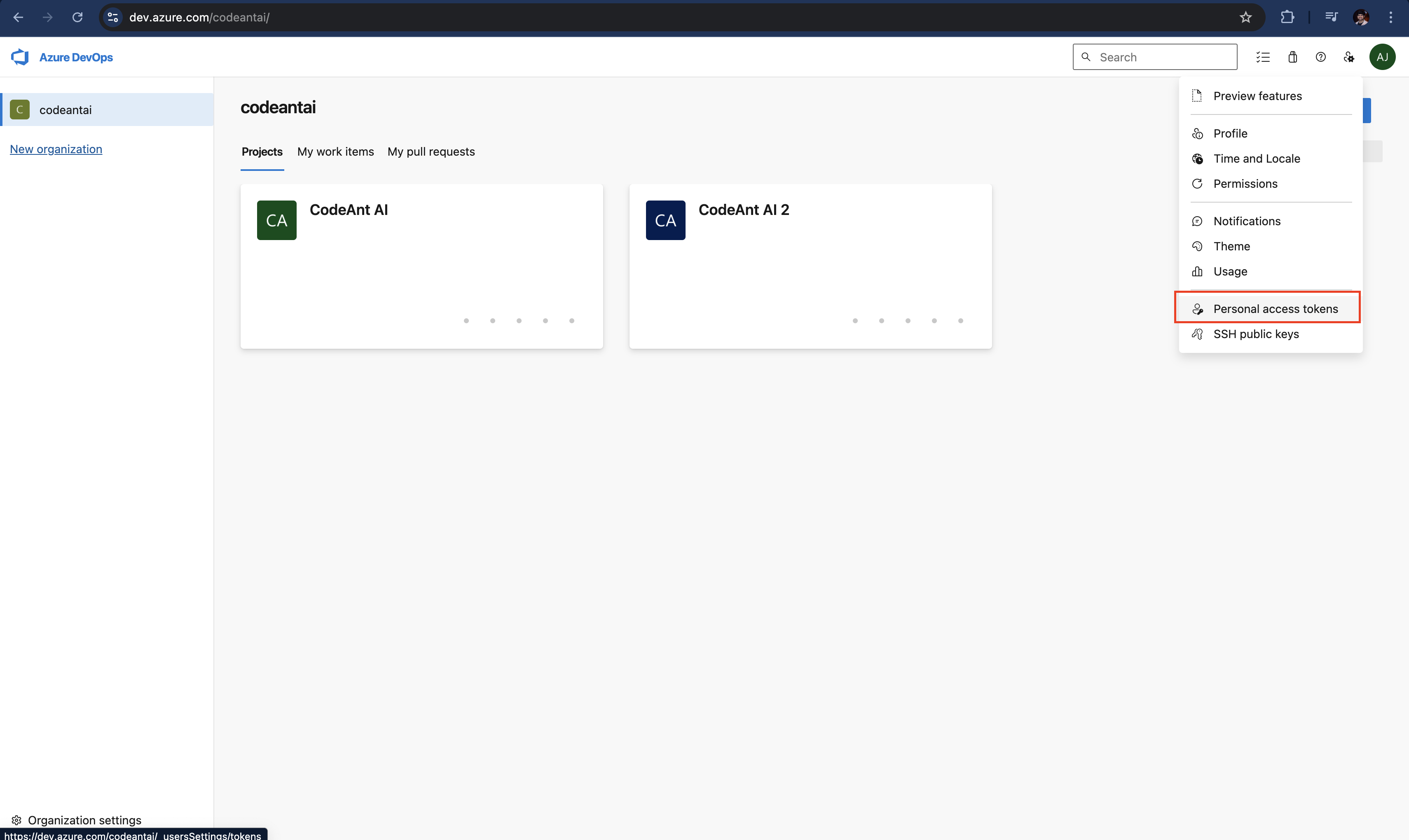 * Click on "+ New Token"
* \*\* Configuration \*\*
* **Name:** CodeAnt AI
* **Expiry date:** Select maximum possible, ideally one year.
* **Scopes:**
* Code (Read & Write) - For Code Analysis
* Pull Request Threads (Read & Write) - For PR Review
* Build (Read) - For Dora Metrics
* Work Items (Read) - For Dora Metrics
* Copy this access token
3. **Enabling Service Hooks:**
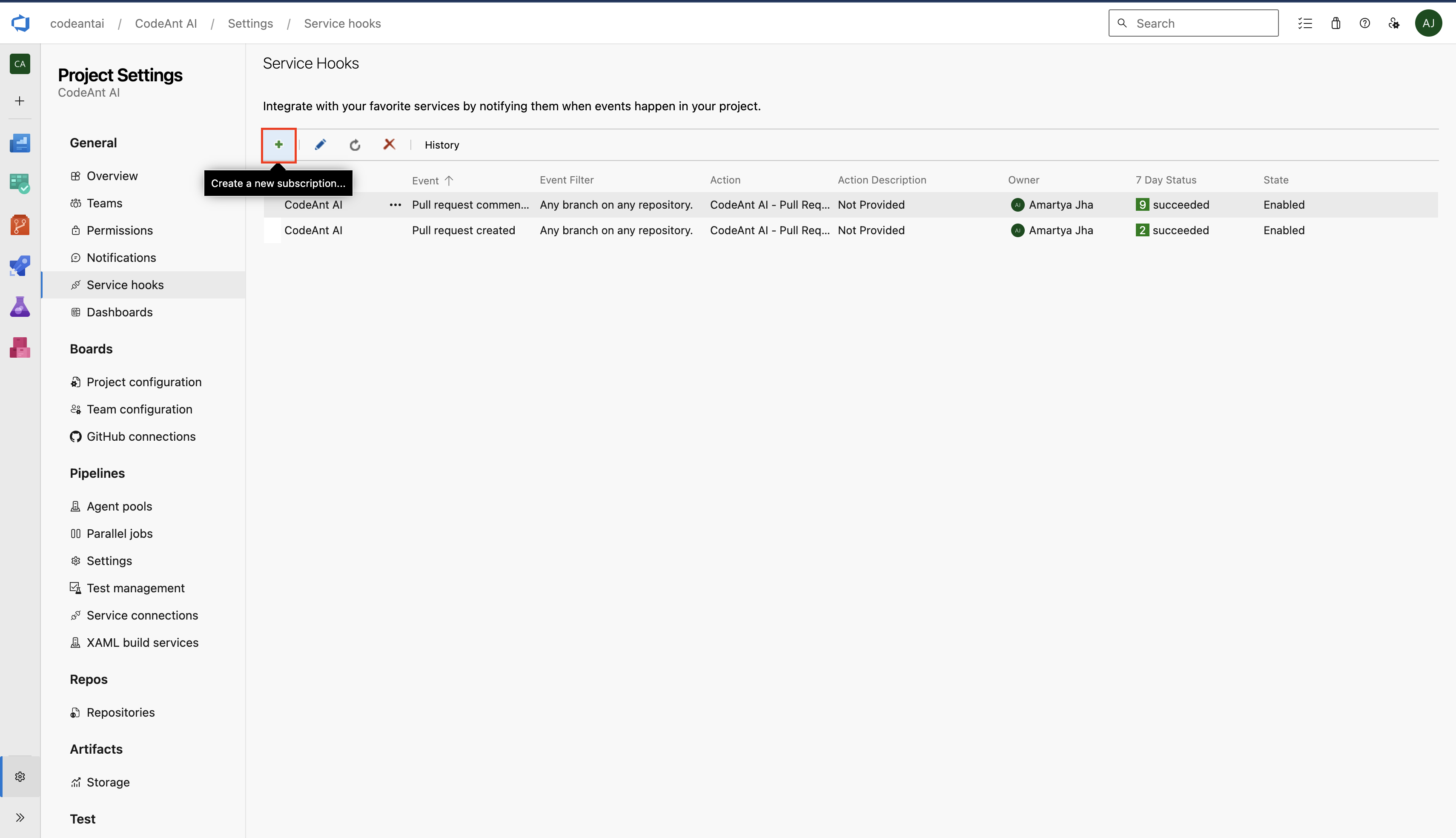
* Select a project -> Project settings -> Service hooks
* Click on Create a new subscription
* Click on "+ New Token"
* \*\* Configuration \*\*
* **Name:** CodeAnt AI
* **Expiry date:** Select maximum possible, ideally one year.
* **Scopes:**
* Code (Read & Write) - For Code Analysis
* Pull Request Threads (Read & Write) - For PR Review
* Build (Read) - For Dora Metrics
* Work Items (Read) - For Dora Metrics
* Copy this access token
3. **Enabling Service Hooks:**
* Select a project -> Project settings -> Service hooks
* Click on Create a new subscription
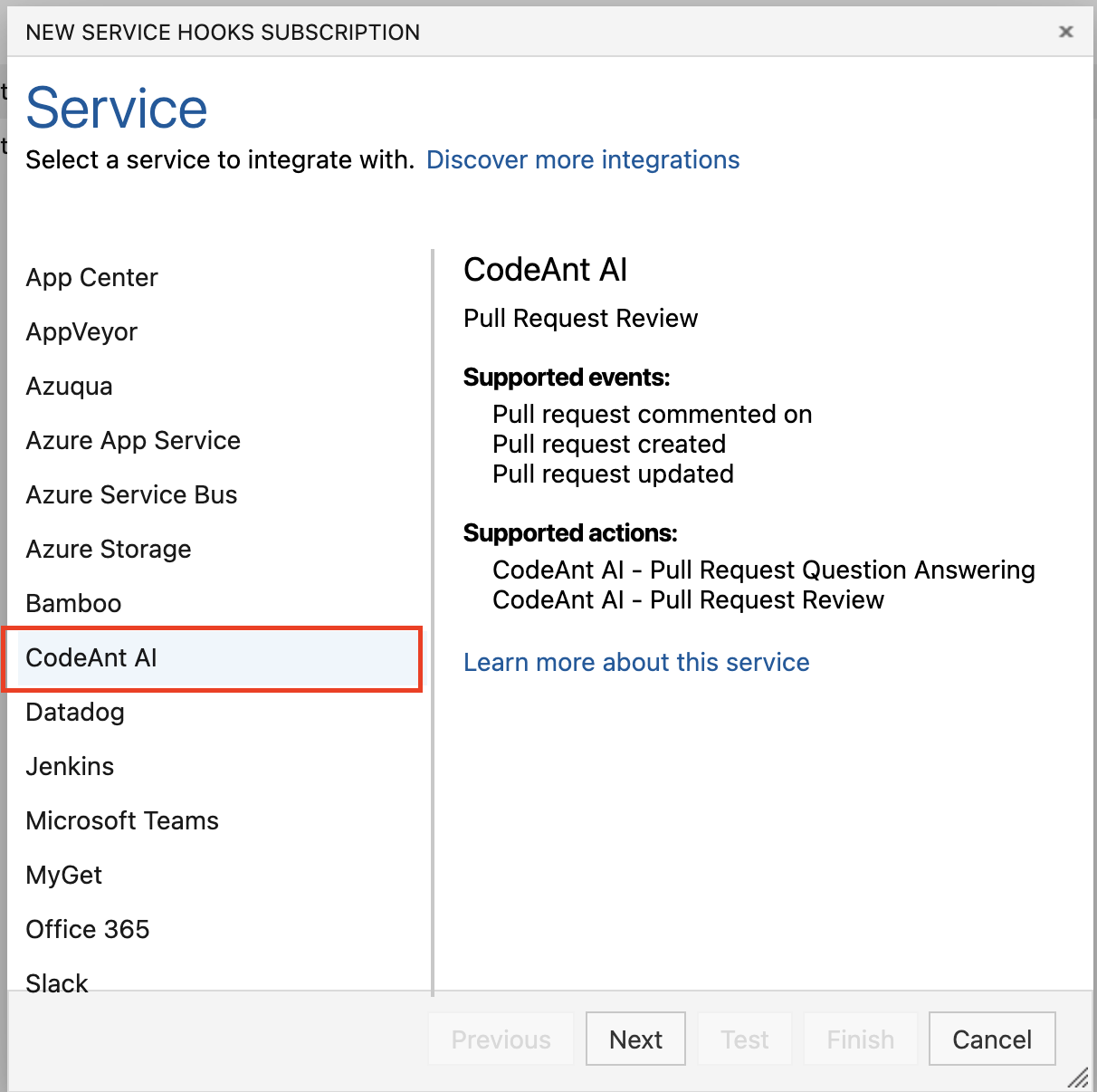
 * Select CodeAnt AI service -> Next
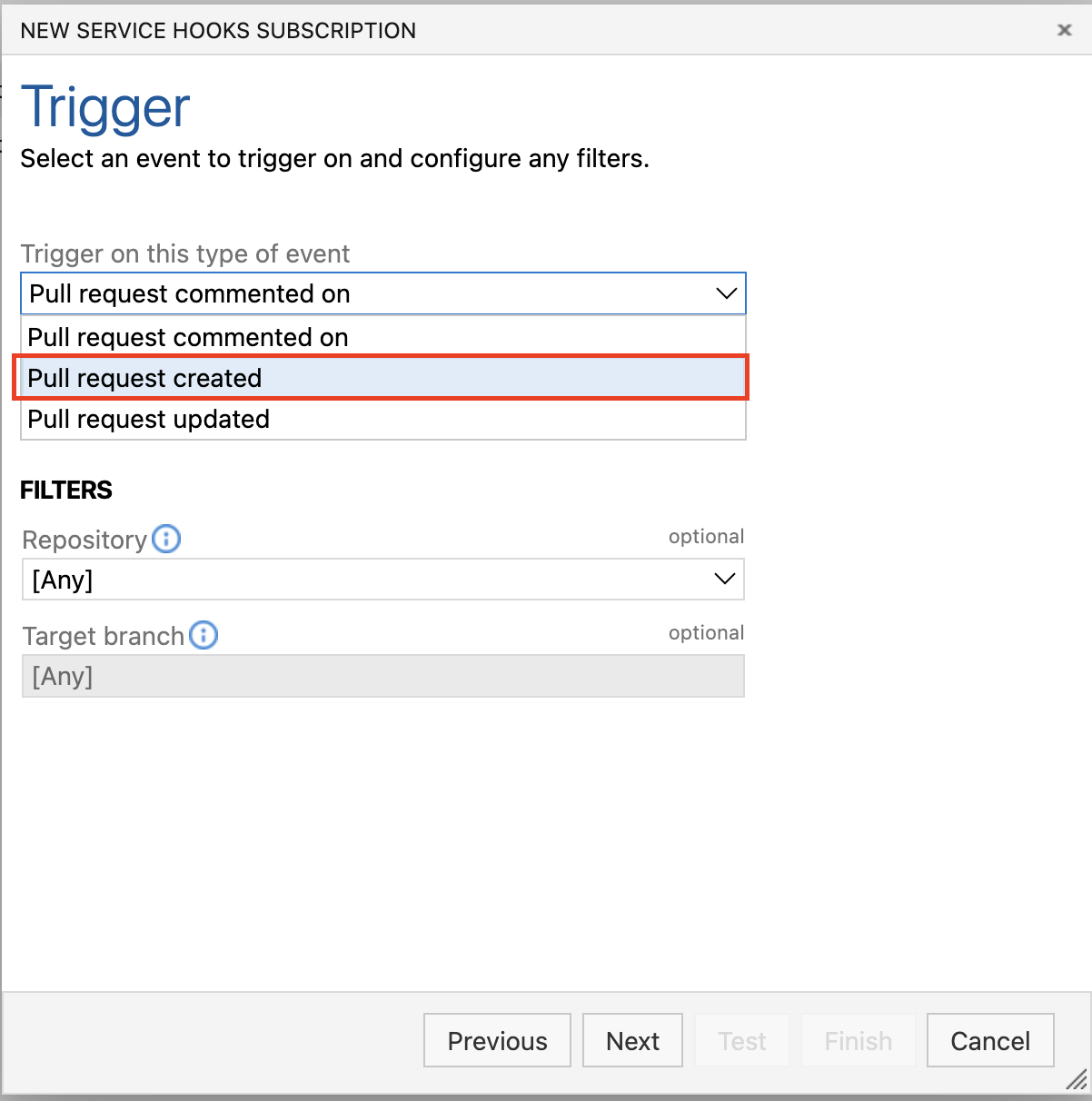
 * Select Pull Request Created trigger -> Next
 * Paste Access token that we created in the first step -> Finish
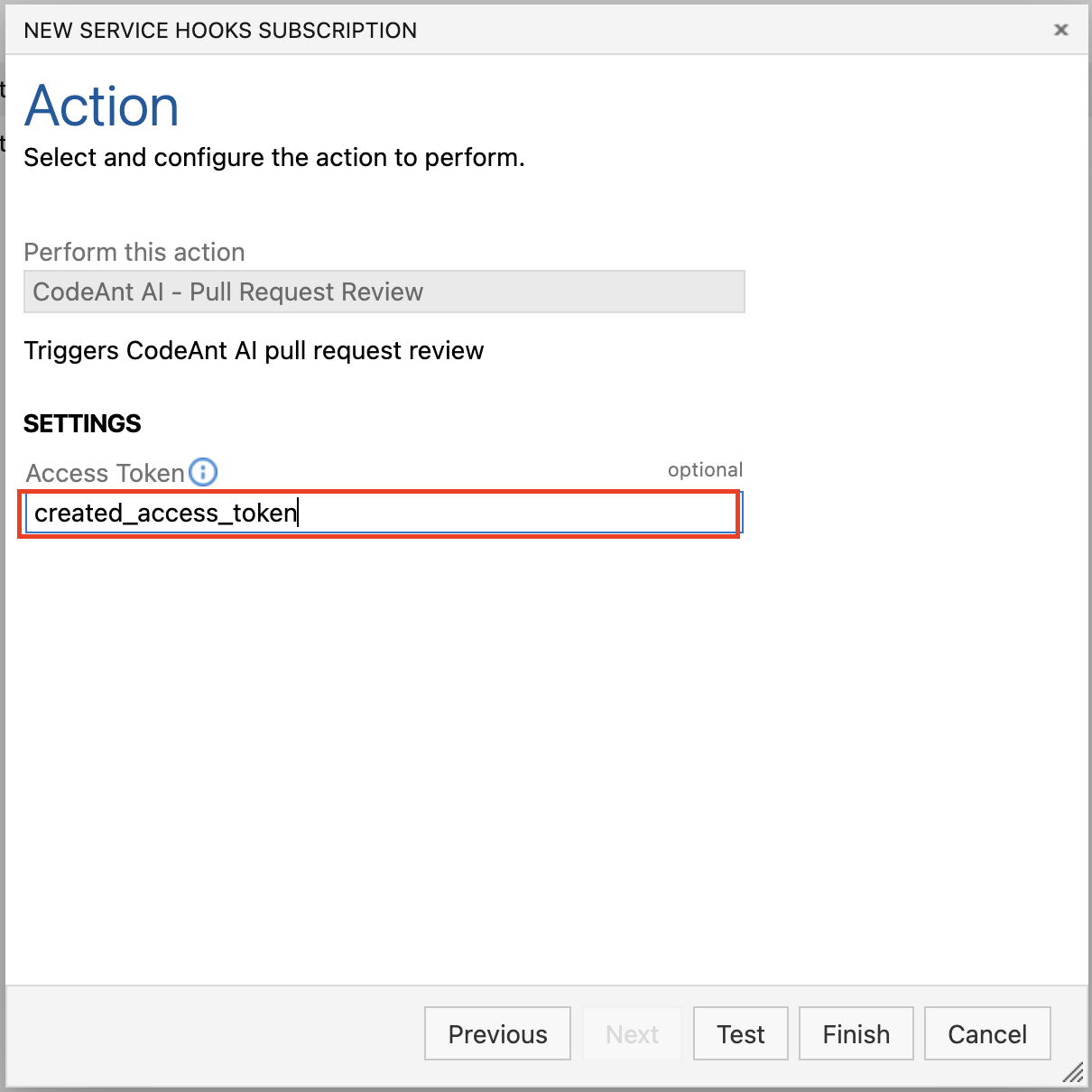 * Follow the same steps for the "Pull Request Comment Created" Trigger
Your Pull Request Review will start from the next PR Onwards
* Follow the same steps for the "Pull Request Comment Created" Trigger
Your Pull Request Review will start from the next PR Onwards