Overview
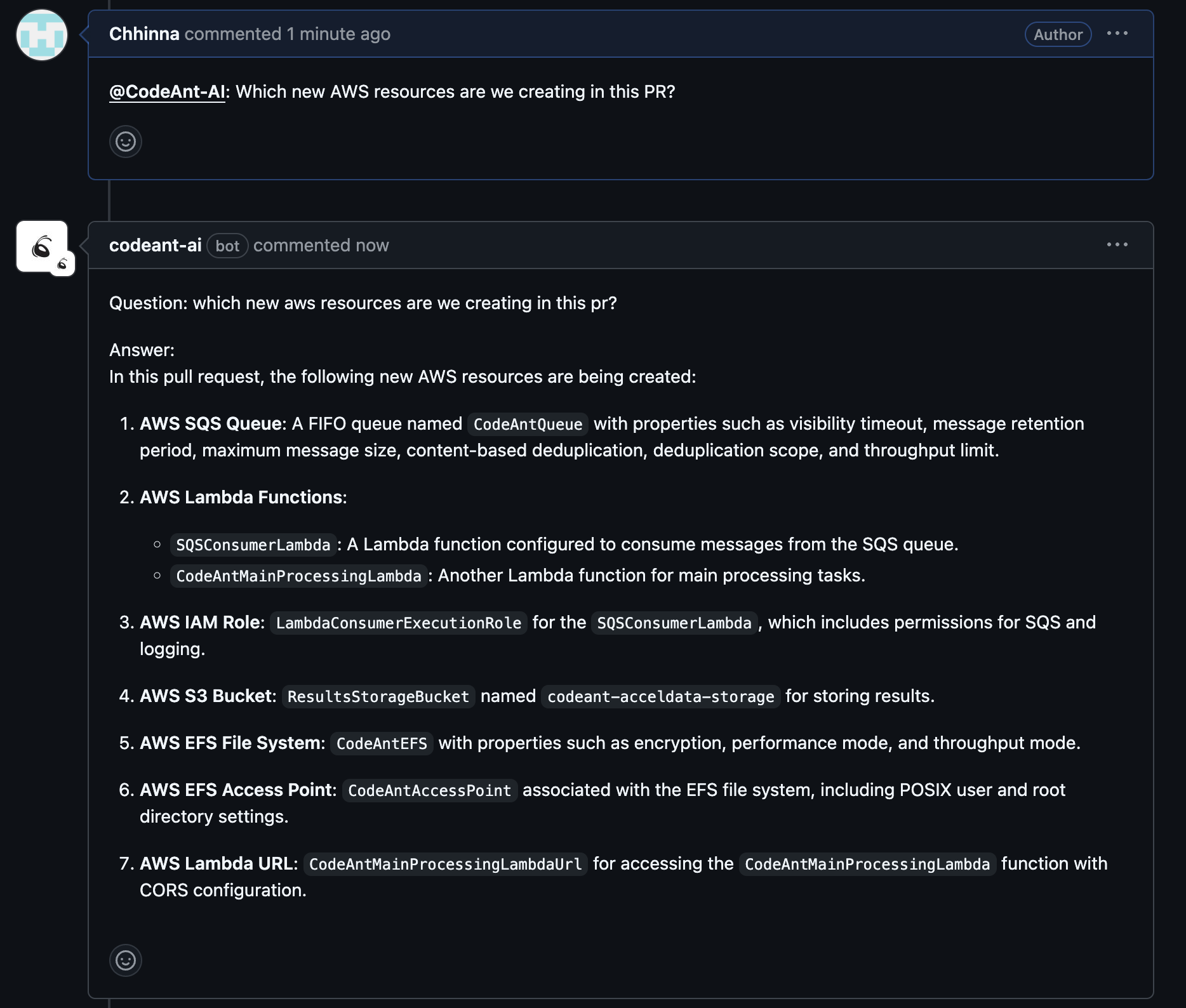
CodeAnt AI’s chat feature lets you have real-time conversations directly within your pull requests. Ask questions, challenge review suggestions, request deeper analysis, or get clarification - all without leaving your PR.How It Works
Ask a Question on the PR
Tag CodeAnt AI in any PR comment to ask a question about the overall changes:Ask Inline Questions
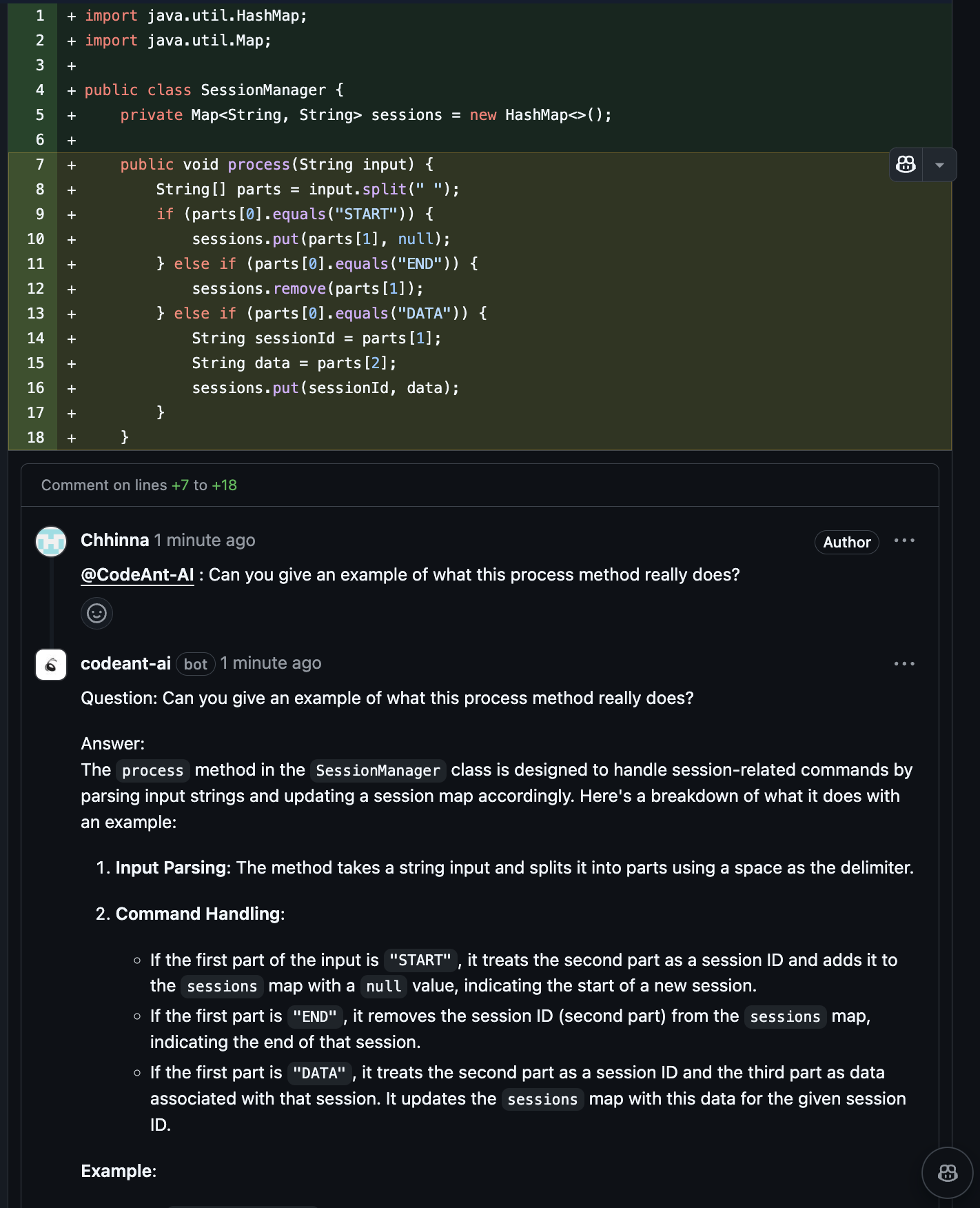
Reply to a specific line or code block to ask targeted questions:Respond to Review Comments
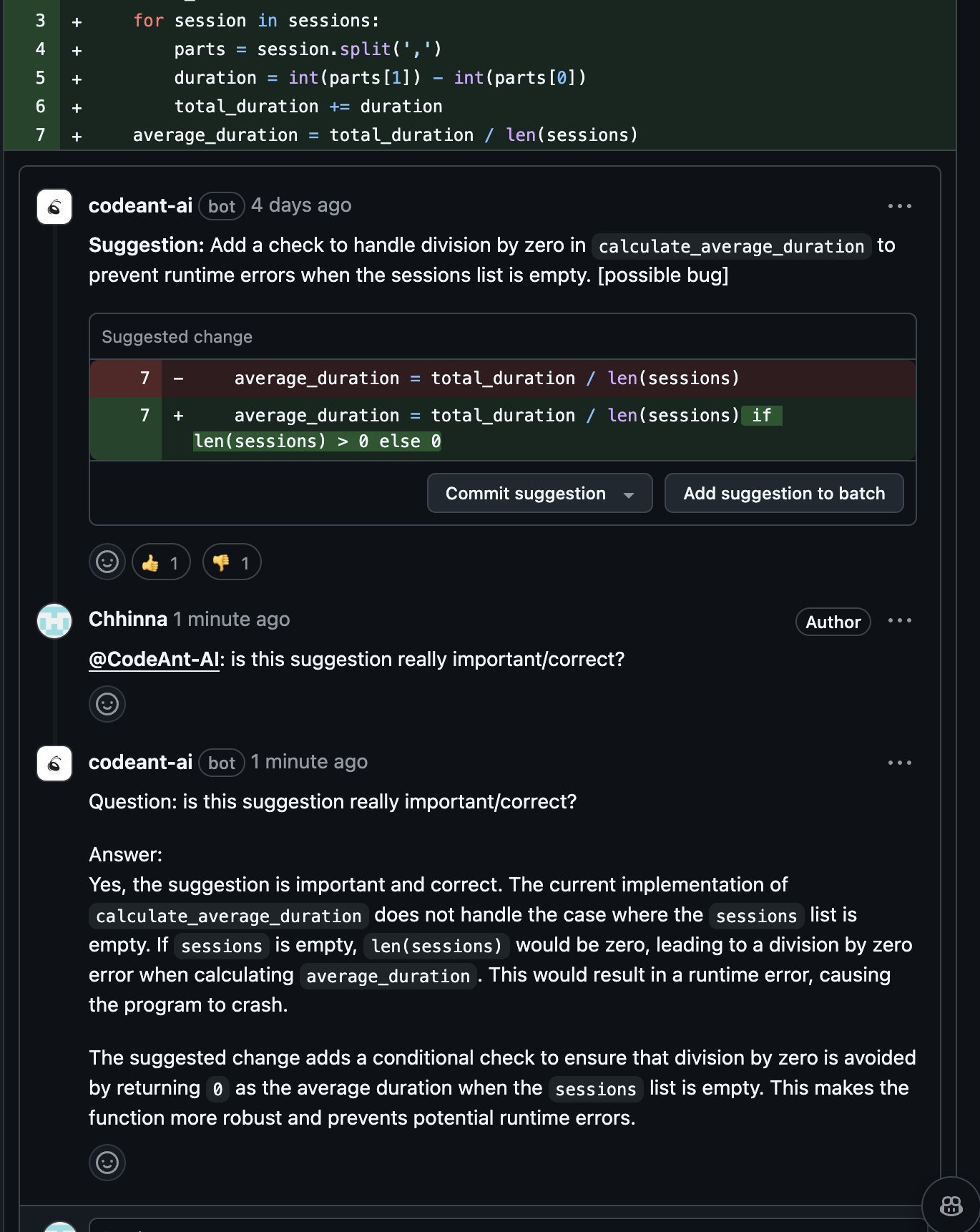
When CodeAnt AI posts a review comment, you can reply directly to it:- Ask for more details:
@codeant-ai: Can you explain the impact of this change? - Challenge a suggestion:
@codeant-ai: Do not suggest this as I am fine with the current behavior - Request alternatives:
@codeant-ai: Are there other ways to fix this?
Example: Dismissing a Suggestion
Example: Dismissing a Suggestion
A developer told CodeAnt AI to stop flagging type error and value error issues for a repository. CodeAnt AI saved this as a customized review instruction and applied it to all matching files.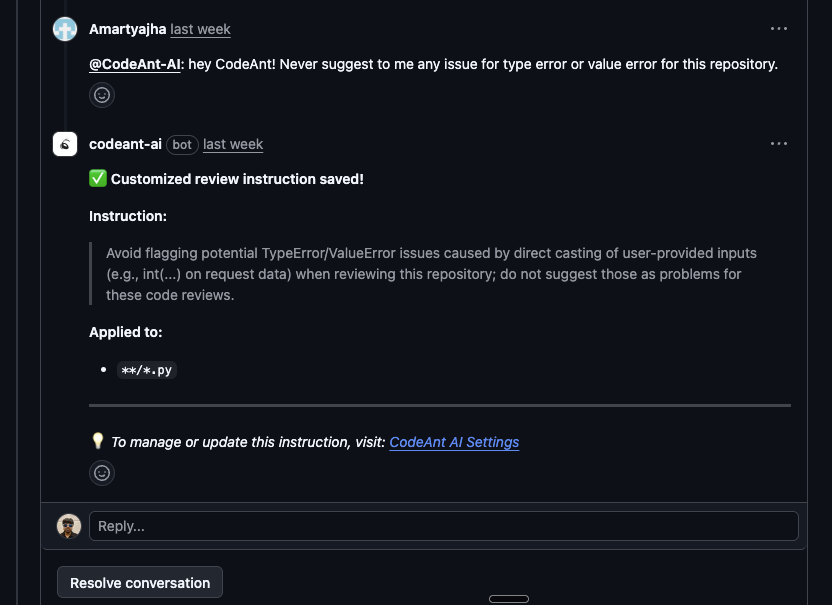
Example: Asking a Follow-Up
Example: Asking a Follow-Up
After reviewing the quality gate results, a developer asked:
@codeant-ai: Are we using the LLM properly to filter out false positives?
CodeAnt AI responds with an analysis of the current false positive filtering logic, referencing the specific code paths involved.Use Cases
Examples
1. Ask the entire pull request