

Overview
When CodeAnt AI suggests something that doesn’t apply to your codebase, you can dismiss it by replying to the review comment. CodeAnt AI will save your feedback as a learning - a customized review instruction that prevents similar suggestions in future reviews.How It Works
If you don’t agree with a suggestion, reply to the review comment with your reasoning: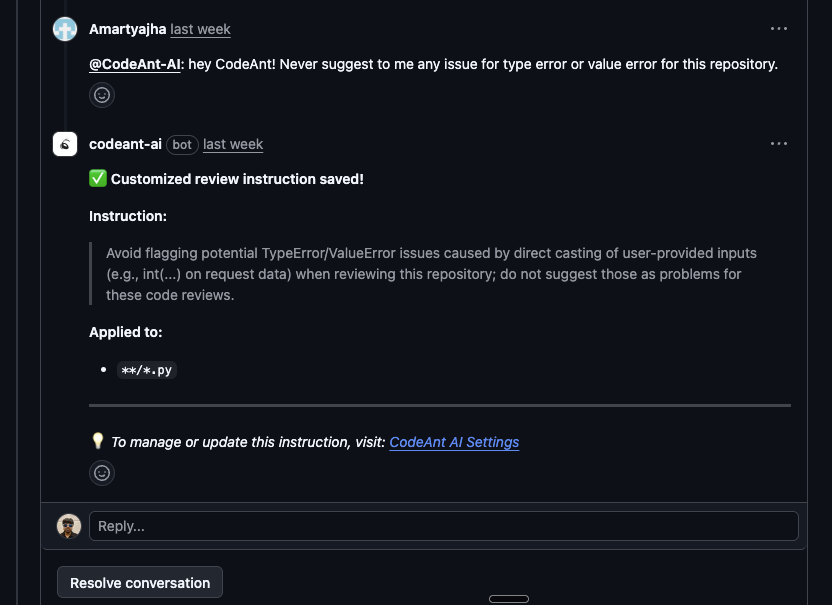
Managing Learnings
You can view, edit, and delete all saved learnings from the CodeAnt AI dashboard: Manage Learnings on CodeAnt AI Settings From there you can:- See all learnings that have been created across your repositories
- Edit a learning to refine the instruction
- Delete a learning if it’s no longer relevant