

Overview
At CodeAnt, we use CodeAnt AI’s Cloud Security Posture Management (CSPM) feature to continuously audit our own AWS, GCP, and Azure footprint. A single read-only connection per cloud account is enough to surface misconfigurations, failing compliance controls, and the services driving the most risk - all in one place.Why This Matters
We ship fast, and a fast-moving infrastructure drifts. Security groups open up for a quick debug, a bucket goes public for a migration, an IAM policy gets broader than it needs to be. Without a continuous check, those mistakes stick. Running CodeAnt AI against our own cloud accounts keeps the blast radius of drift small: we see new findings within minutes of a scan, triaged by severity and mapped to the compliance frameworks our customers care about (SOC 2, ISO 27001, HIPAA, PCI, CIS, NIST, and more).How We Use It
-
Connect each cloud with a read-only role. From
Settings -> Cloud Security, we pick the provider tab (AWS / GCP / Azure) and paste in credentials that carry onlyReadOnlyAccess(AWS),roles/viewer+roles/cloudasset.viewer(GCP), or theReaderrole (Azure). CodeAnt AI never needs write permissions - the scanner only reads configuration. The Validate Permissions button checks the role before you save.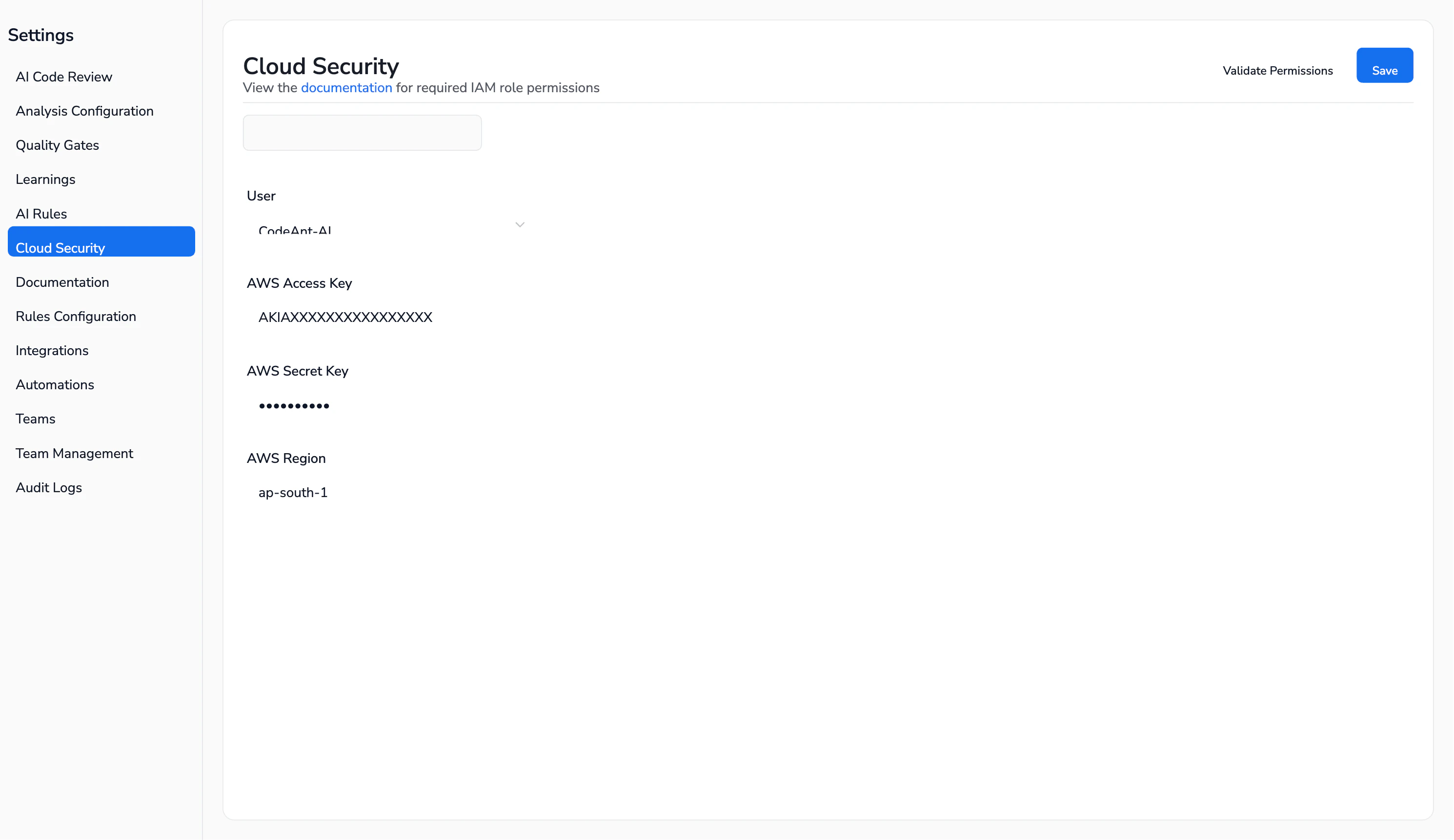
-
Trigger a scan. From
Cloud Security -> Infrastructure Scan, we click Start New Scan and pick the connection we want to audit. A full AWS scan on our account finishes in about 6 minutes and evaluates thousands of controls against our live resources.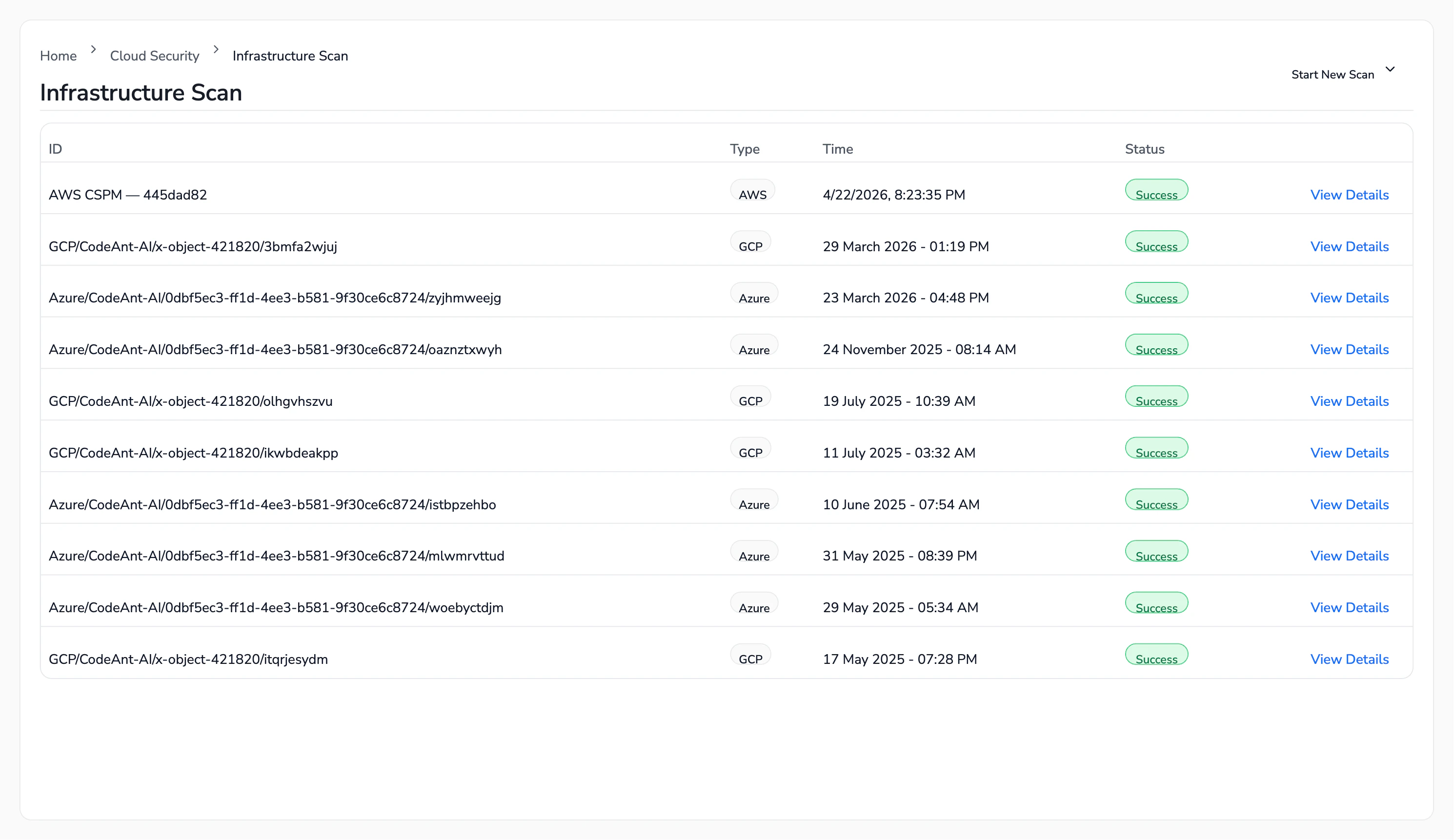
-
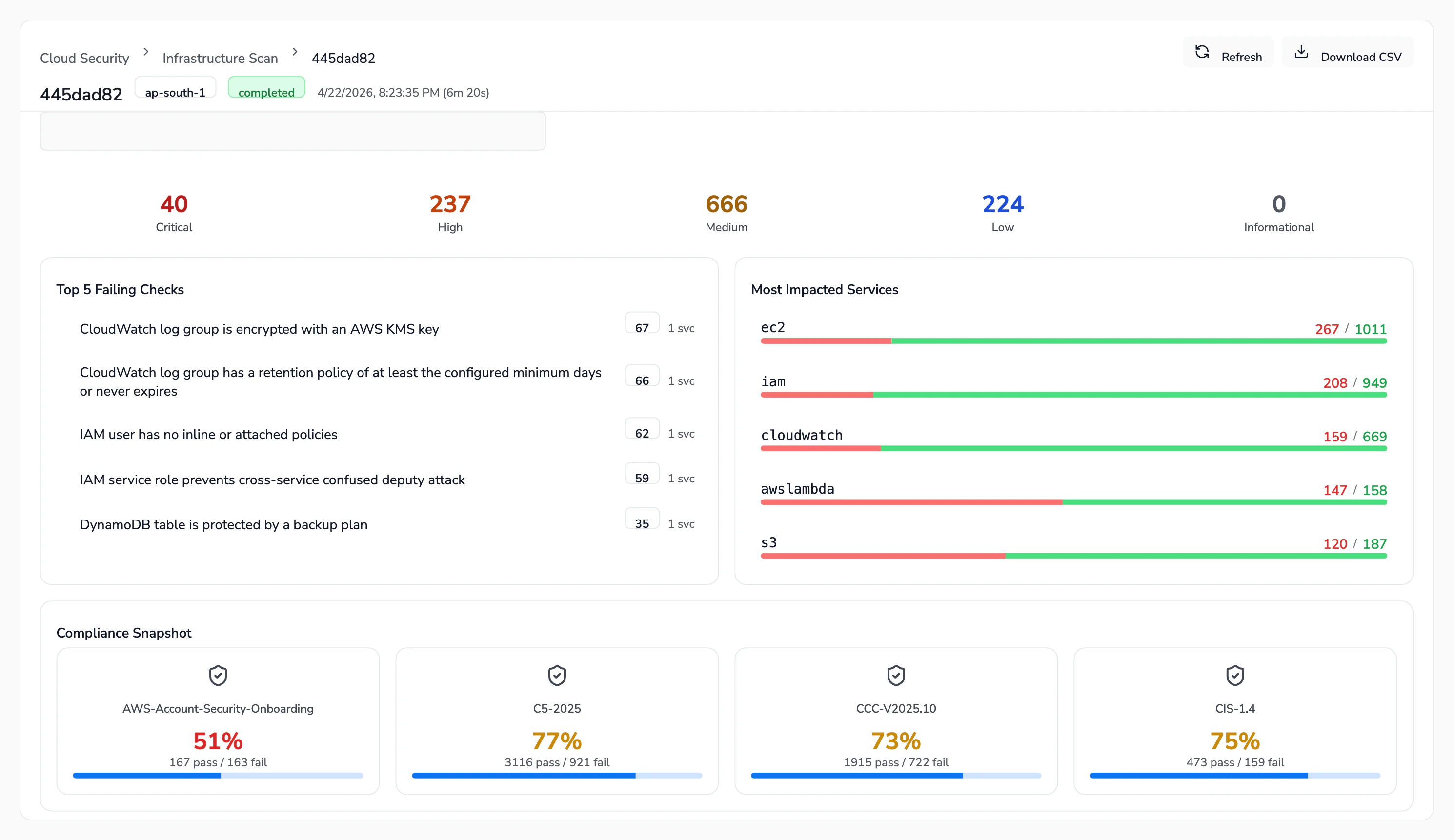
Triage from the Overview. Every completed scan lands on an Overview tab with severity counters (Critical / High / Medium / Low / Informational), the Top 5 Failing Checks, the Most Impacted Services, and a Compliance Snapshot. This is our starting point every week - we look at what crossed the Critical/High line since the last run.
-
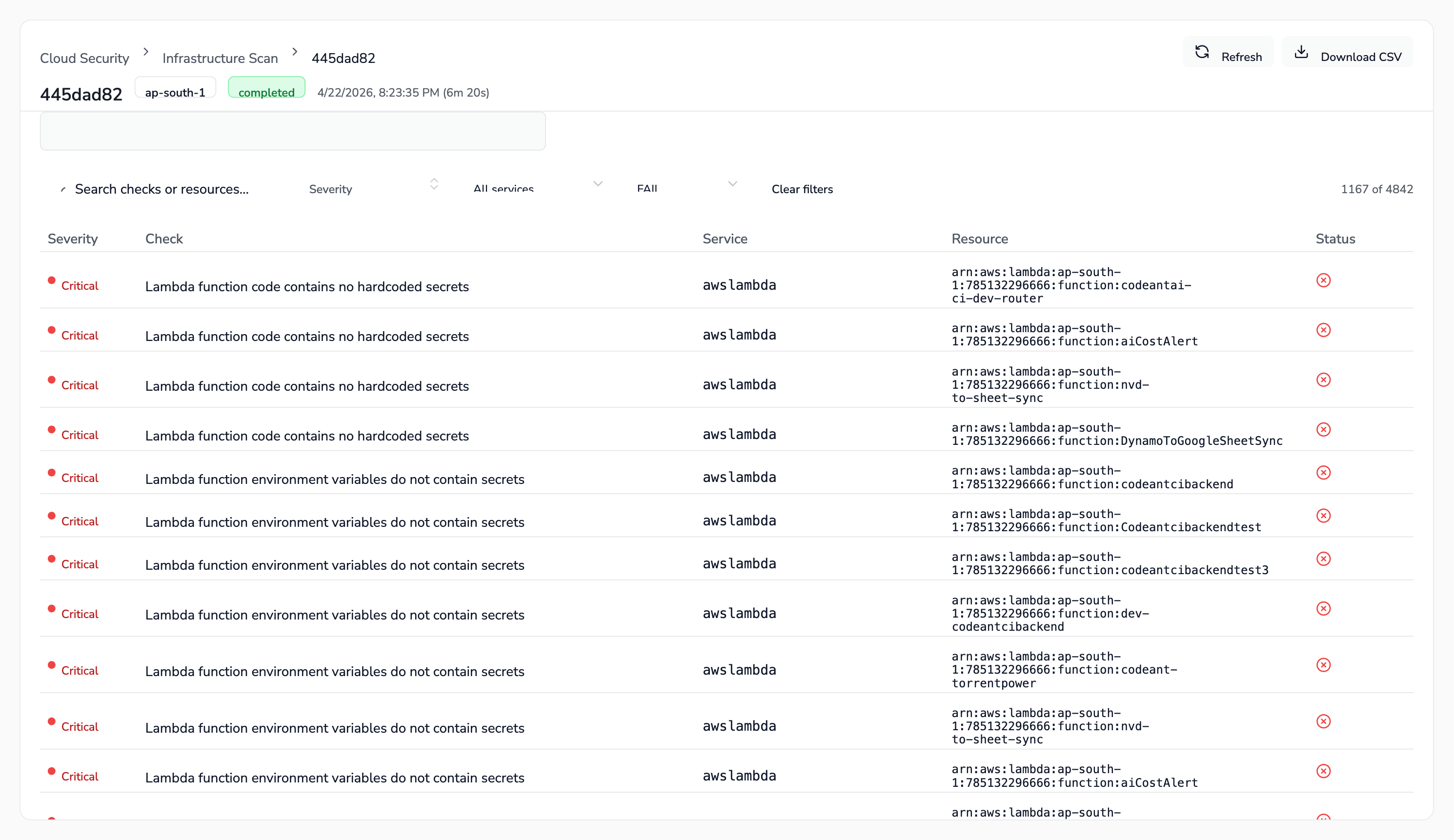
Drill into Findings. The Findings tab lists every failing check with its severity, service, and the exact resource ARN. We filter by severity or service, export a CSV, and assign ownership to whichever team owns that service (platform, data, or product).
-
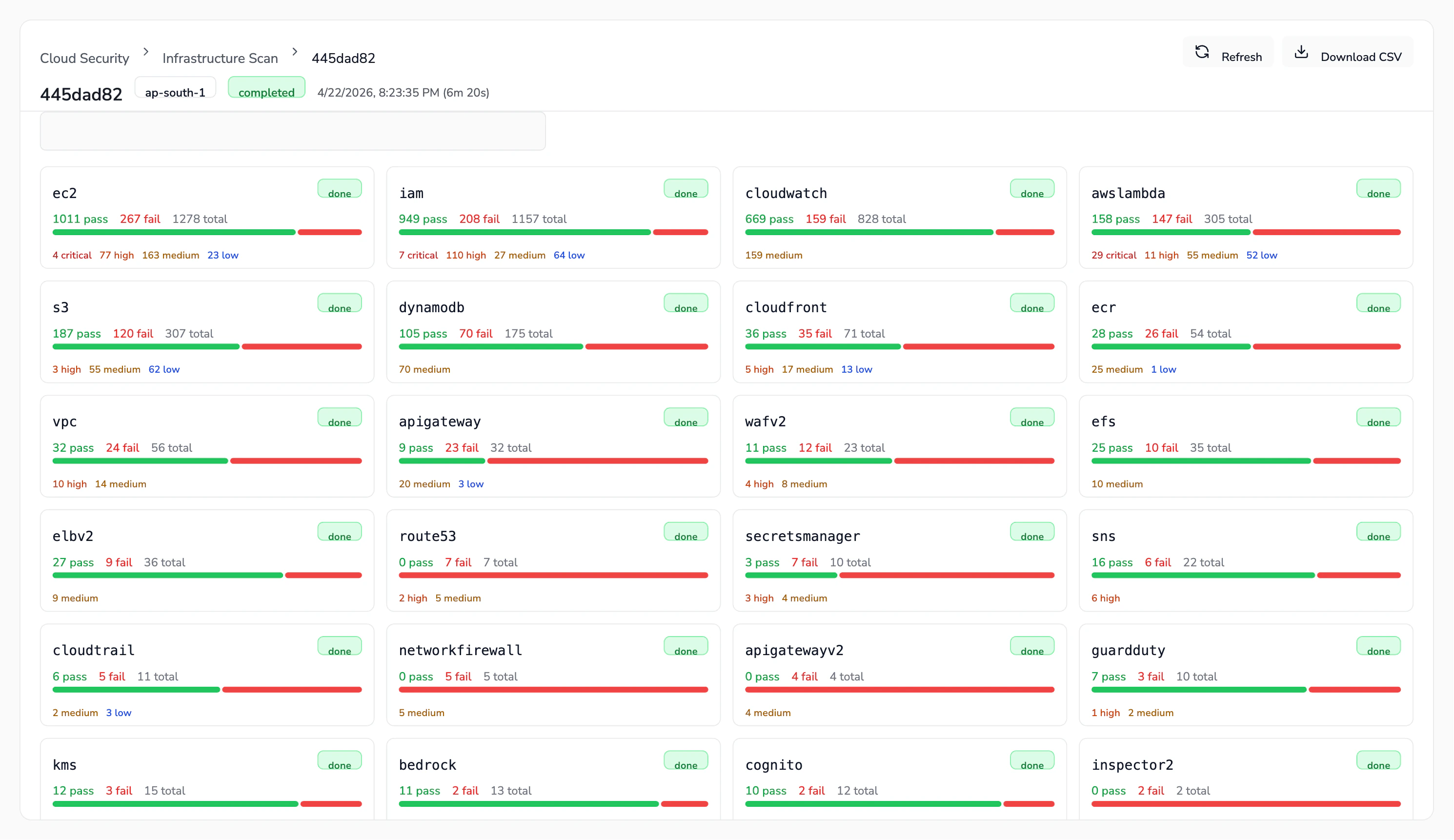
Review by service. The Services tab breaks findings down by AWS/GCP/Azure service (EC2, IAM, CloudWatch, Lambda, S3, DynamoDB, CloudTrail, KMS, and so on) so we can quickly see where the posture is worst and prioritise hardening.
-
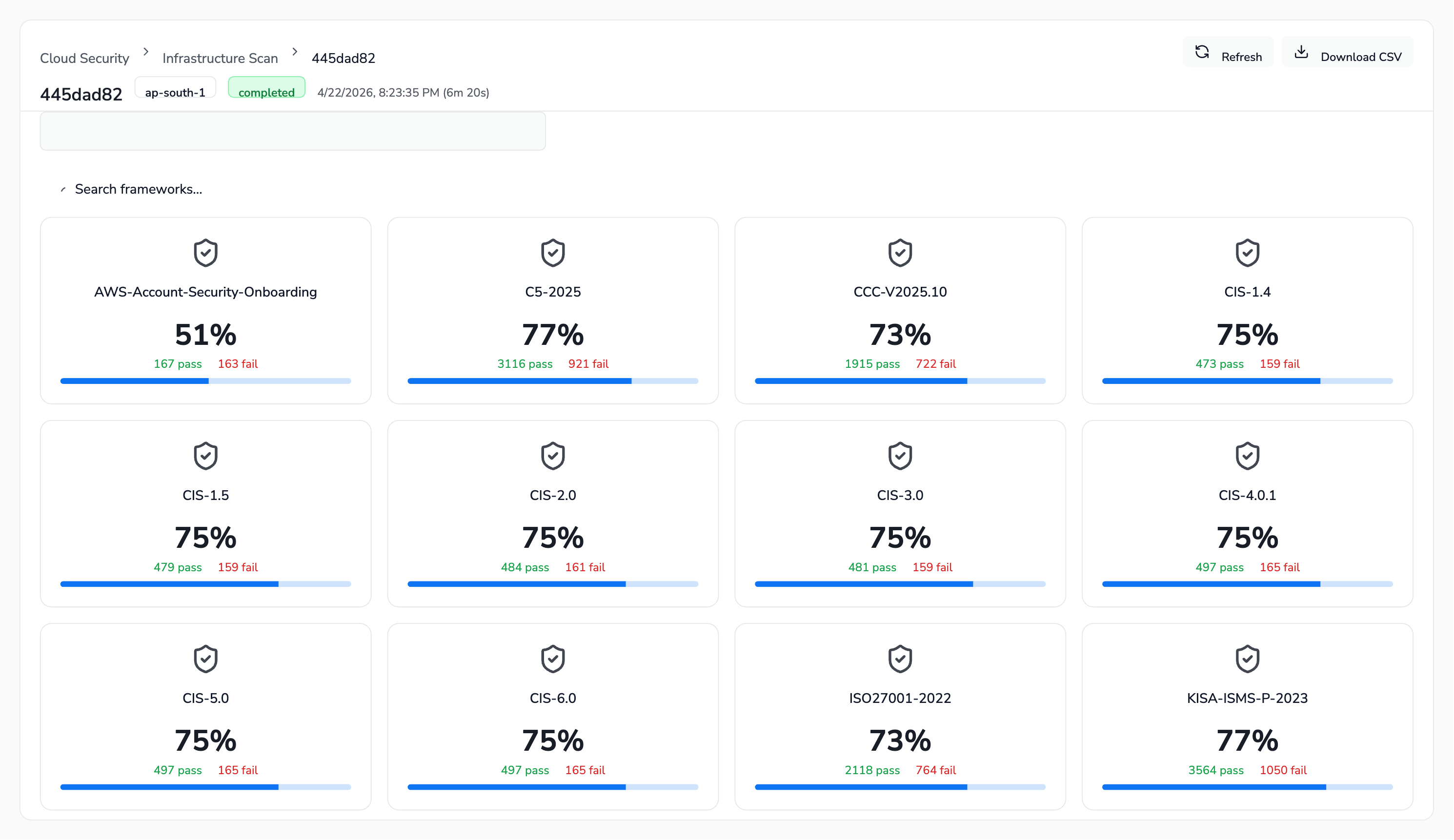
Track compliance posture. The Compliance tab shows our pass rate against every framework CodeAnt AI supports - CIS (1.4 through 6.0), SOC 2, ISO 27001, HIPAA, PCI DSS 3.2.1 & 4.0, NIST 800-53, NIST CSF, GDPR, FedRAMP, MITRE ATT&CK, AWS Well-Architected, and others. Before a customer audit or a security review, we open this tab to know exactly where we stand.
What We Pay Attention To
- Critical and High findings - these block a release conversation. We fix them before the next scan.
- Compliance deltas - if a framework’s pass rate drops between scans, someone changed something that broke a control. We investigate before the drop compounds.
- Service hotspots - IAM, EC2, and CloudWatch consistently surface the most findings across clouds. Any new service we adopt gets a baseline scan before it hits production traffic.